External validation
Configuration
Available at Configuration > External validation, are the following fields:
Activate external validation
Description: Activate the switch to enable the validation.
Validation severity
Description: How Historian should handle invalid measurements.
- Warning When selected the user will be presented with a warning when creating or updating a measurement with invalid settings. The user will still be able to create or update the measurement.
- Error When selected the user will be presented with an error when creating or updating a measurement with invalid settings. The user will have to correct the settings to be able to proceed.
Endpoints
Description: Here you will have to enter a valid http(s) URL endpoint to which the historian server will present measurements for validation via a POST request with an application/json body as described here . You can add multiple endpoints. Measurements that are invalidated by an endpoint will be presented to the subsequent endpoint. A measurement will be regarded as valid if one endpoint validates it. If a measurement fails validation for all endpoints a warning or error will be presented to the user.
Examples
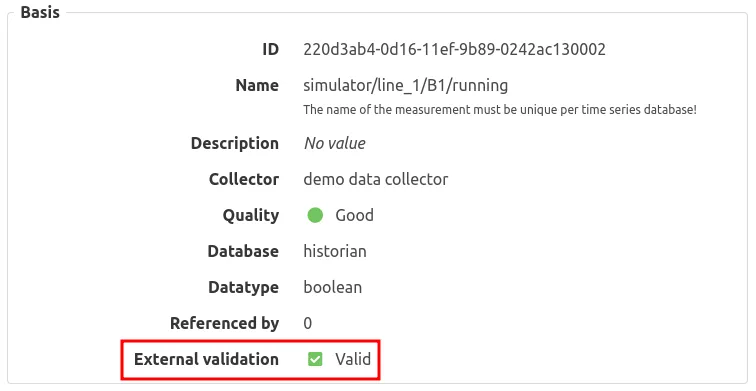
Example of a validated measurement:
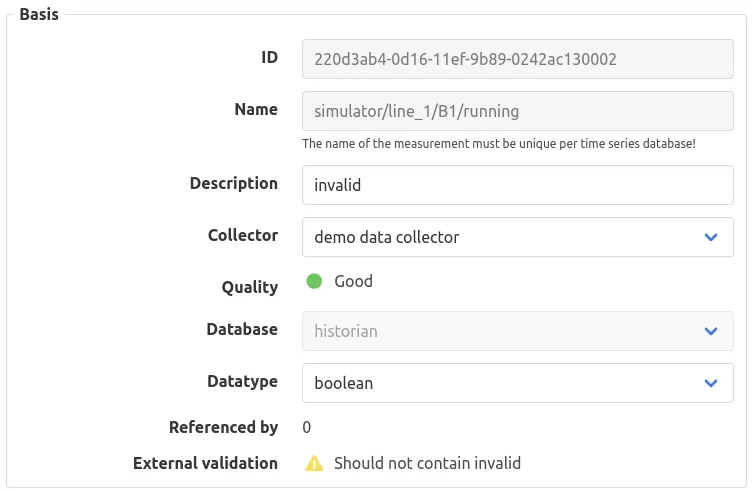
Example of an invalid measurement: