External measurement validation
If measurements need to conform to a certain internally used format, a validation server can be used to enforce this.
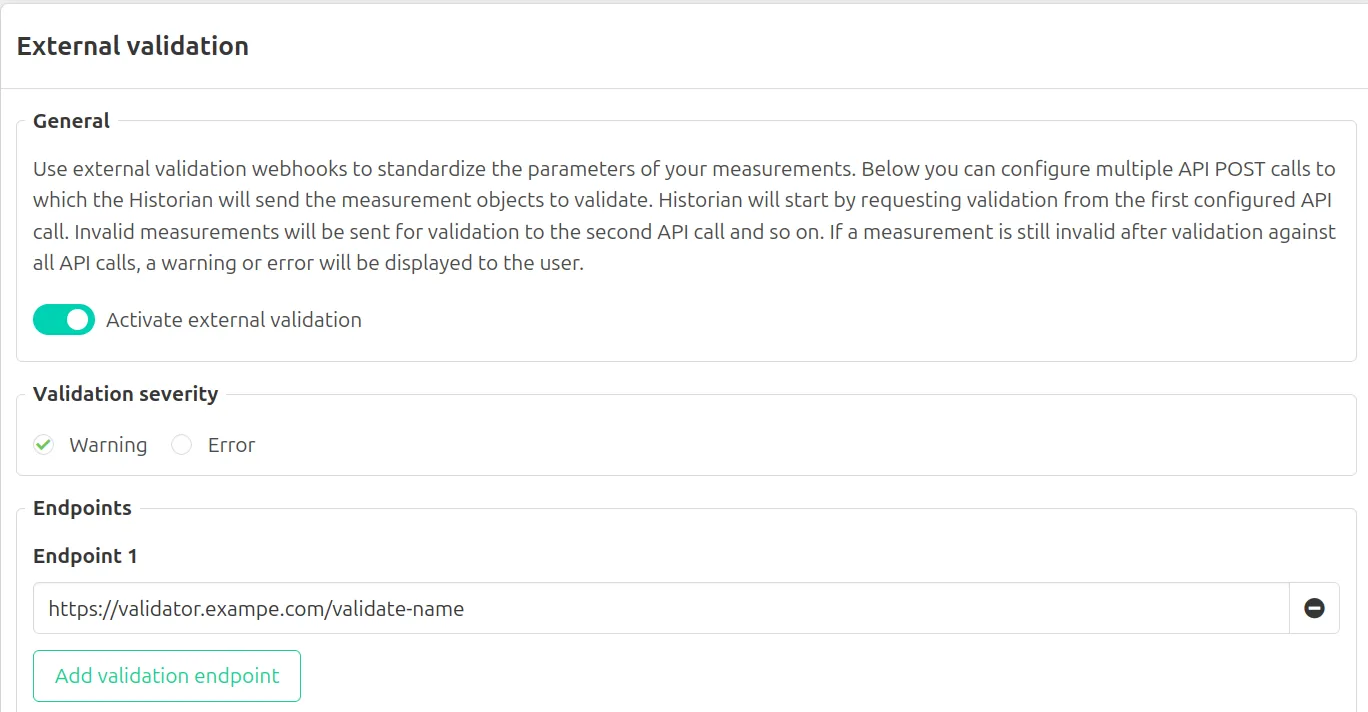
Configuring a validation endpoint
External validation settings can found under Configuration > External Validation. Here you can:
- Enable or disable external validation
- Configure the severity level
- Configure one or more validation endpoints
Implementing a validation server
A validation server is a web server that implements at least one endpoint conforming to the validation endpoint protocol:
- It should accept a POST request with a payload containing a list of measurements. An example:
[
  {
    "UUID": "dad3f495-22b1-11ec-864a-81d3f45e479b",
    "Name": "Tank1.Temperature",
    "Description": "",
    "Datatype": "boolean",
    "Database": "historian",
    "Collector": "OPC-UA Staging",
    "Tags": {},
    "Status": "Active",
    "Settings": {
      "NodeID": "ns=1;s=Boolean_22",
      "CollectionType": "polled",
      "CollectionOffset": 0,
      "CollectionInterval": 5000
    }
  },
  {
    "UUID": "c54b4e3c-6f02-11ec-864a-81d3f45e479b",
    "Name": "Site1.Tank2.Temperature",
    "Description": "",
    "Datatype": "number",
    "Database": "historian",
    "Collector": "MODBUS",
    "Tags": {},
    "Status": "Active",
    "Settings": {
      "RegType": "Input Register",
      "ByteOrder": "Default",
      "CollectionType": "monitored",
      "ModbusDataType": "int32",
      "CollectionOffset": 0,
      "CollectionInterval": 2000,
      "Address": 1
    }
  }
]- It should respond to this request with a JSON list containing a response for each of the received measurements in the following format:
[
  {
    "UUID": "dad3f495-22b1-11ec-864a-81d3f45e479b",
    "Valid": false,
    "Error": "Should include site prefix"
  },
  {
    "UUID": "c54b4e3c-6f02-11ec-864a-81d3f45e479b",
    "Valid": true,
    "Error": null
  }
]
The endpoint can perform any internal business logic required to ensure the validation settings are correct. This can for example be used to enforce a specific measurement name format.