Obtaining an API token
In this guide, we will obtain an API token for interfacing with Factry Historian's REST API.
What is an API token
An API token is required to authenticate external tools or custom applications with Factry Historian. Instead of using a username and password for each request, a token provides a secure and convenient way to grant access. Tokens can be scoped to a specific organization and set with limited rights, which helps keep integrations safe and manageable.
Step-by-step guide
As an administrator in Factry Historian:
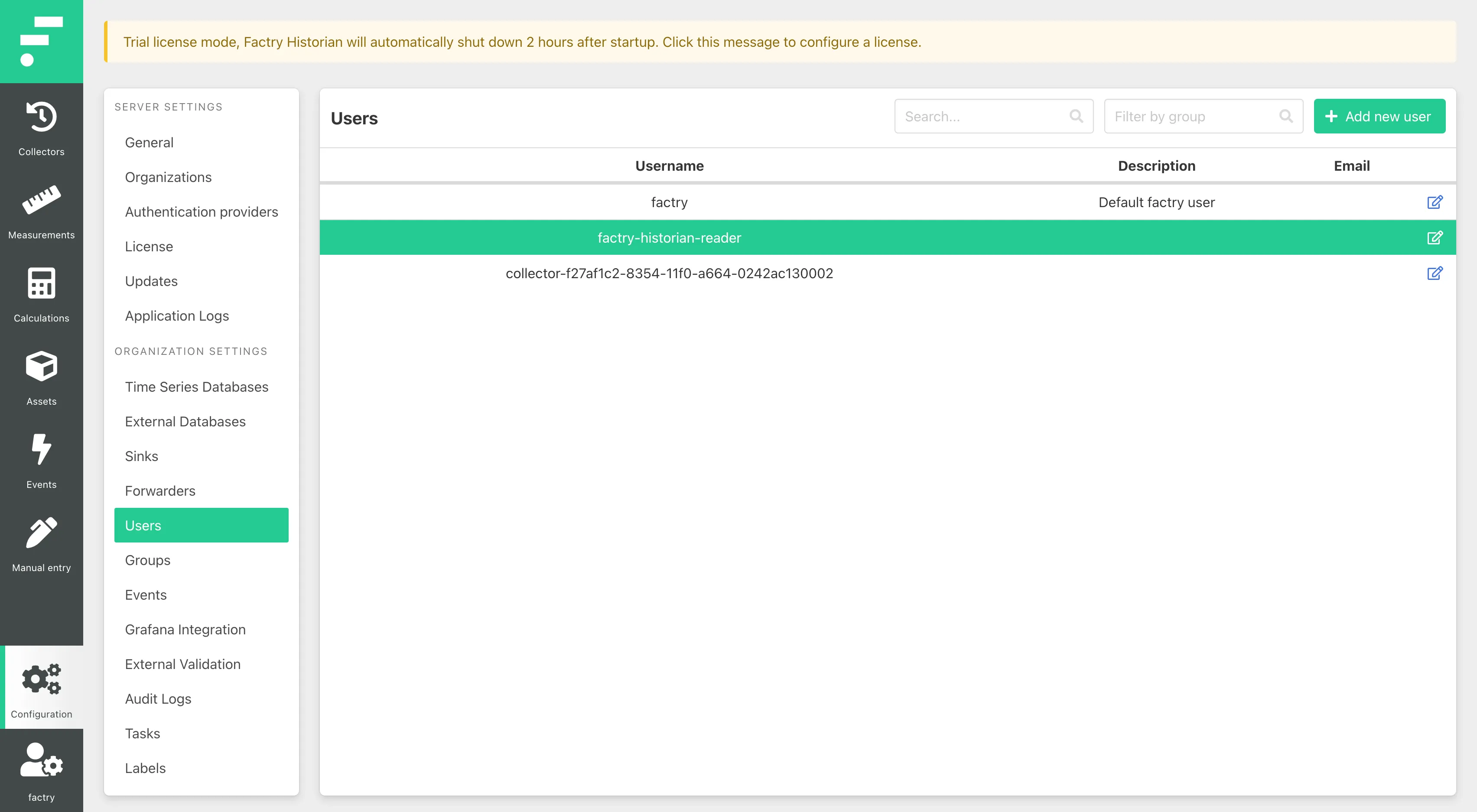
- Go to the Historian web app Configuration > Users.
- Select the user with read privileges and click the edit icon on the right.
As a regular user in Factry Historian:
- Go to the Historian web app, and click your profile on the bottom right, and then select User Profile.
Next:
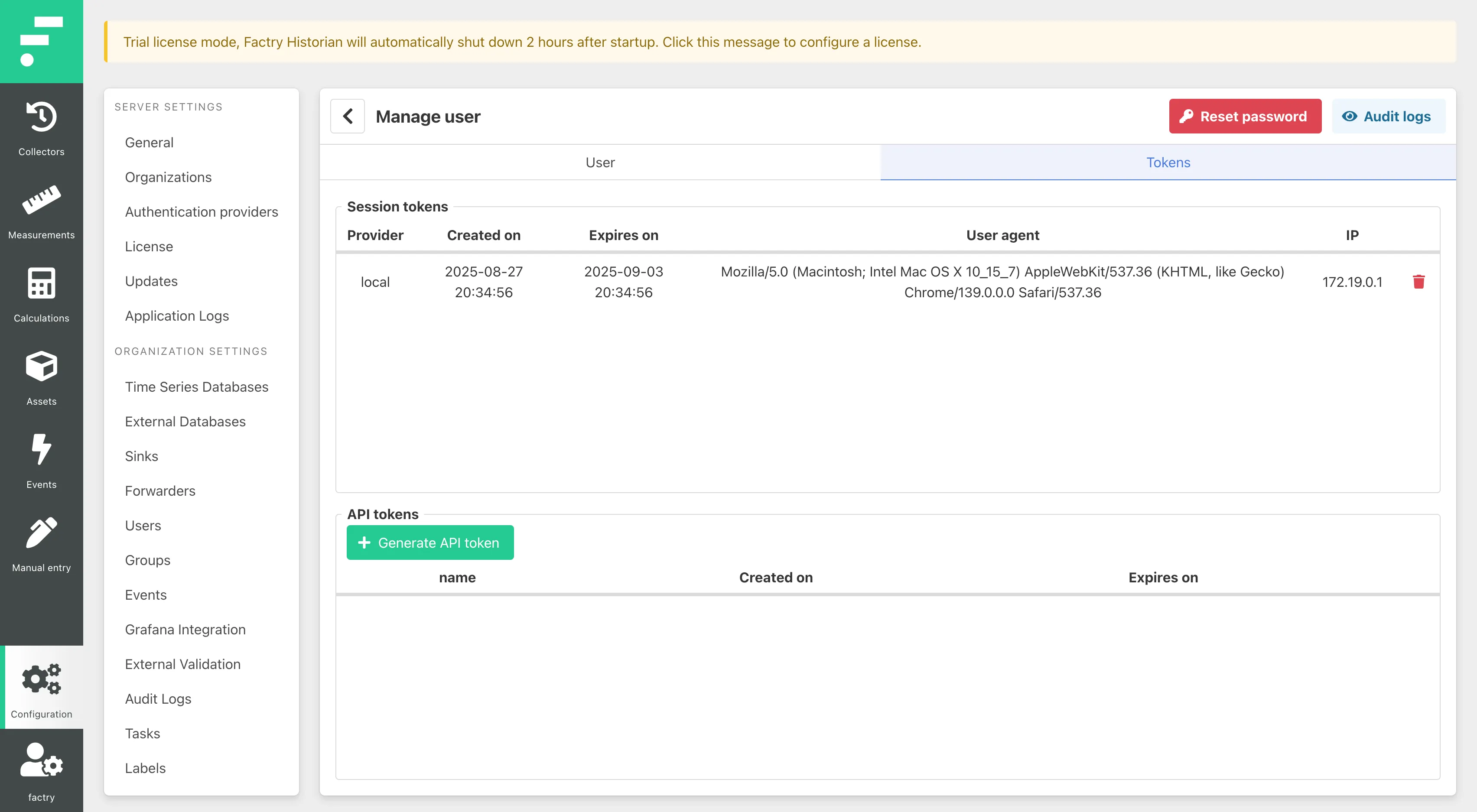
- Navigate to the 'Tokens' tab and click + Generate API token.
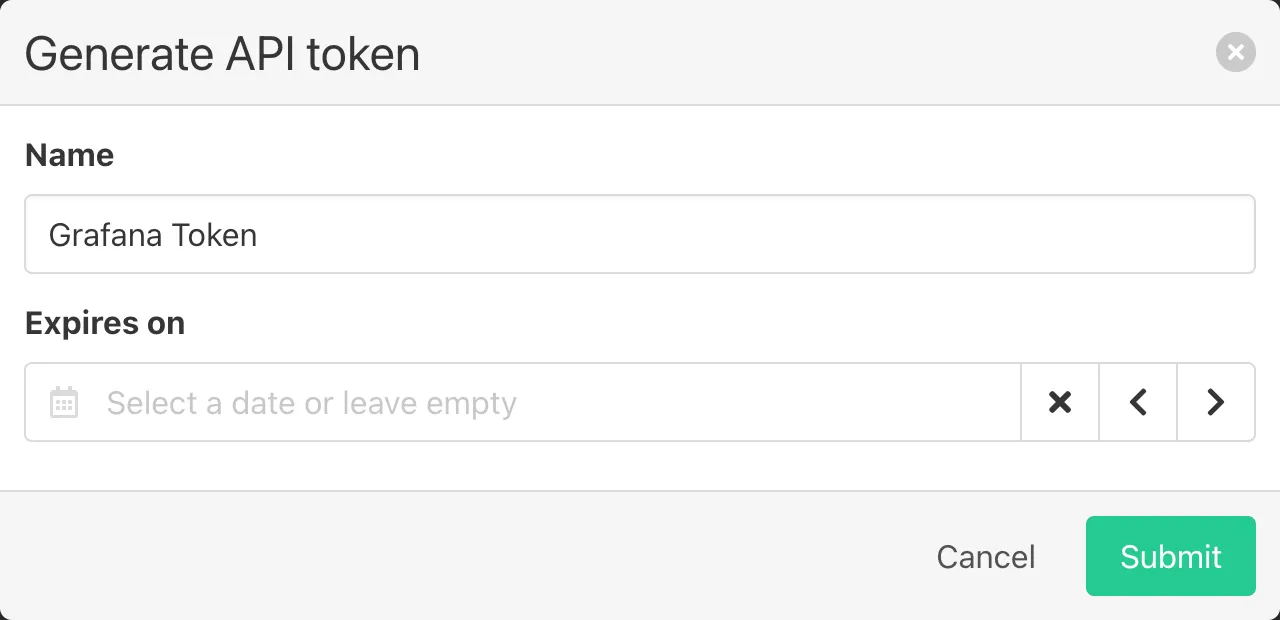
- Give the token a Name and an optional expiry date. Then click Submit.
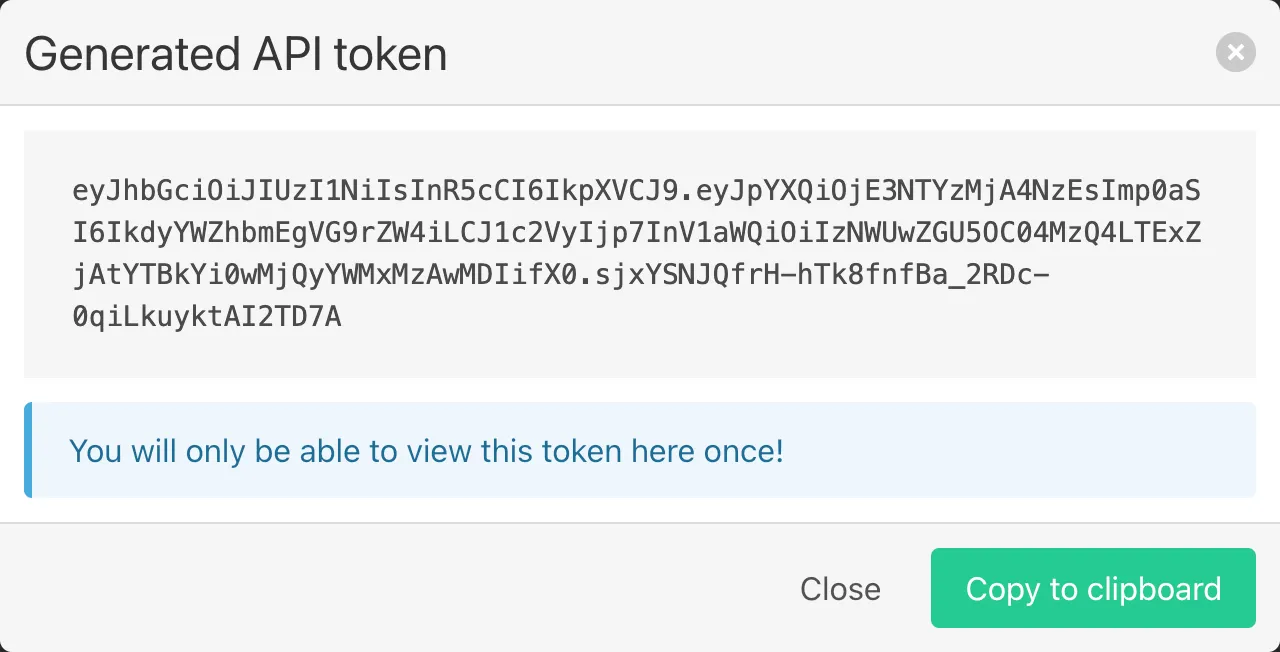
- Copy the generated token somewhere safe by either selecting and copying, or by clicking Copy to clipboard.
Use cases for API tokens
API tokens are needed for:
- Configuring the Seeq Add-in
- Using the Factry Historian REST-APIUsing the Factry Historian REST-API e.g. with Python
Notes
- Tokens are sensitive credentials; treat them like passwords.
- Copy a token when it is created, as it will only be shown once.
- You can revoke or regenerate tokens at any time if they are lost or compromised.