Configuring a SQL collector
The SQL collector in Factry Historian allows you to connect to a SQL database and collect data as time series. Once configured, the data is historized and made available for further processing in Factry Historian, and for trending, reporting, and analysis.
The collector periodically executes a configured SQL query. The query must return specific columns (measurement_key, value, ts, updated, quality, and optionally tag_...) to ensure that the data can be historized correctly.
Prerequisites
- Permissions in Factry Historian to manage collectors. See PrivilegesPrivileges.
- An installed SQL collector. If you have not done so already, first install the collector.
- A working SQL connection. If you are running into issues or setting this up for the first time, follow our guide to Testing an SQL connection.
- A configured time-series database to write the collected data to.
Configure the collector
After installing the collector, you should see that the collector is in an initial state and is actively running. This means that the collector has established a connection to Factry Historian and is awaiting further configuration.
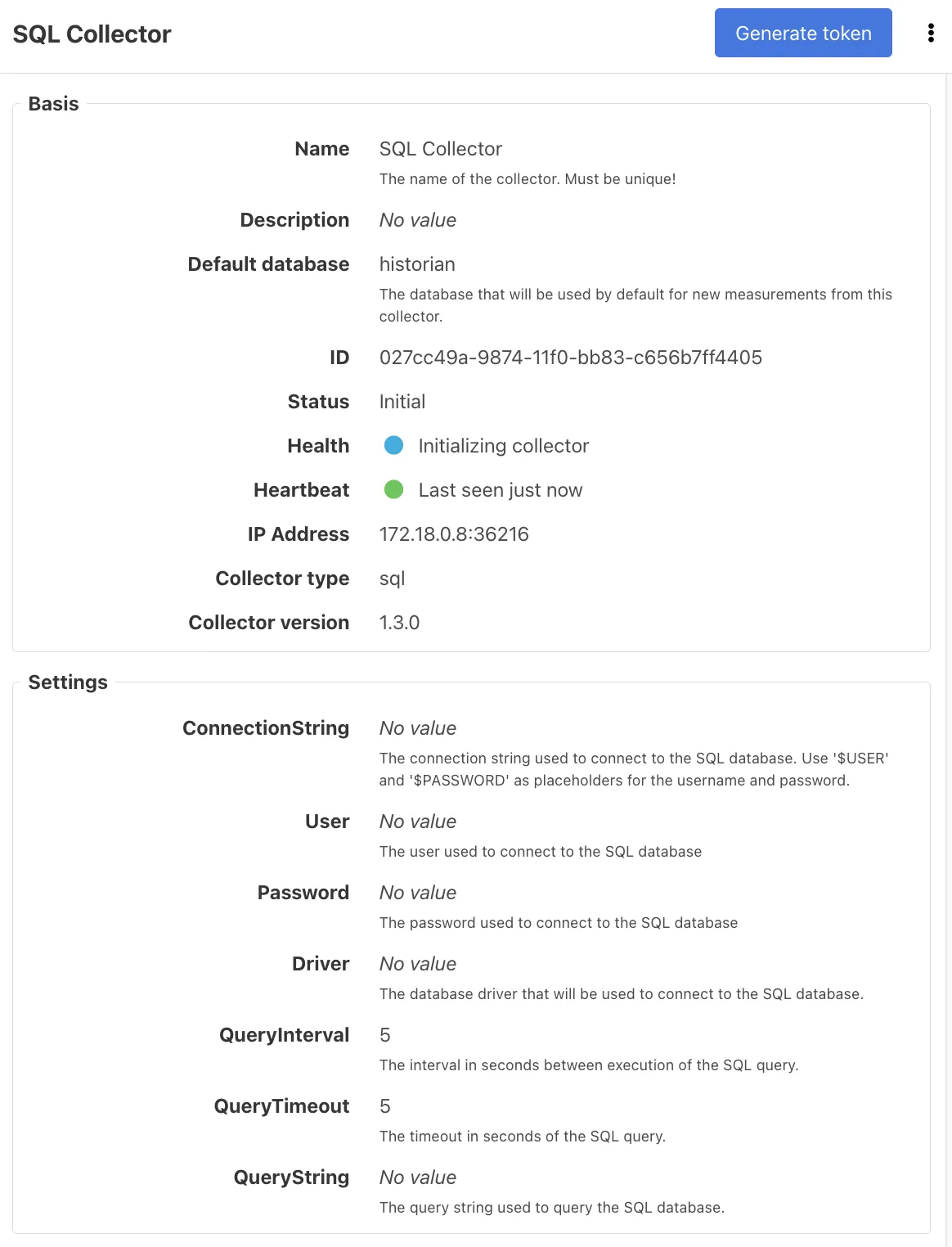
To configure the collector, select it from the Collectors overview in Factry Historian and click the Edit button. Configure the following fields:
ConnectionString
The connection string defines how the collector connects to your SQL database. It includes the database type, host, port, database name, and credentials.
Examples:
- Postgres: postgres://$USER:$PASSWORD@host:5432/database
- Oracle: oracle://$USER:$PASSWORD@server/service_name
- SQL Server: sqlserver://$USER:$PASSWORD@host/instance?param=value
- MySQL/MariaDB: $USER:$PASSWORD@tcp(host:3306)/dbname?parseTime=true
- SQLite: file:test.db?cache=shared&mode=memory
- ODBC: DSN=my-odbc-datasource-name;UID=$USER;PWD=$PASSWORD
For MariaDB, always add parseTime=true and handle NULL values with COALESCE(...) to prevent parsing issues.
User and Password
Optional fields if not already embedded in the connection string. Provide credentials with appropriate database permissions.
Driver
The SQL driver to use. Options: postgres | oracle | sqlserver | mysql | sqlite3 | hdb | ase | odbc
QueryInterval
How often (in seconds) the query should be executed.
- Default: 5
- Minimum: 1
QueryTimeout
Maximum time (in seconds) before the query is aborted.
- Default: 5
- Minimum: 1
QueryString
The actual SQL query that the collector executes.
It must return at least these columns:
- measurement_key: maps each row to a measurement.
- value: the numeric or string value to historize.
- ts: the timestamp of the datapoint.
- updated: used to ensure each row is only collected once.
- quality: the data quality (empty = “Good”).
- Any column prefixed with tag_ is stored as a tag (e.g. tag_prodnr).
Examples:
- Postgres: SELECT * FROM table_name WHERE updated > $1;
- Oracle: SELECT * FROM table_name WHERE updated > :1;
- SQL Server: SELECT * FROM table_name WHERE updated > @p1;
- MySQL/MariaDB: SELECT * FROM table_name WHERE updated > ?;
Always filter by updated > ? to avoid re-reading old data. The ? placeholder is automatically replaced with the collector’s internal State.
You can leave the QueryString empty if you only want to test whether the collector can connect to your database.
Example query
Considering we have the following tables:
sensors
pk | id | value | timestamp | updated |
|---|---|---|---|---|
1 | sensor_temp | 14 | 2025-09-10 00:00:30+00 | 2025-09-10 02:00:42+00 |
2 | sensor_volume | 100 | 2025-09-10 00:13:45+00 | 2025-09-10 00:15:30+00 |
3 | sensor_weight | 66 | 2025-09-10 00:21:40+00 | 2025-09-10 00:33:30+00 |
tags
pk | line_nr | sensor_pk |
|---|---|---|
1 | 2 | 3 |
2 | 45 | 1 |
3 | 6 | 2 |
Using the following query in the collector’s QueryString field:
SELECT
  s.id AS measurement_key,
  s.value AS value,
  s.timestamp AS ts,
  s.updated AS updated,
  'Good' AS quality,
  t.line_nr AS tag_line_nr
FROM sensors s
INNER JOIN tags t ON s.pk = t.sensor_pk
WHERE updated > ?;
The collector will return:
measurement_key | value | ts | updated | quality | tag_line_nr |
|---|---|---|---|---|---|
sensor_temp | 14 | 2025-09-10 00:00:30Z | 2025-09-10 02:00:42Z | Good | 45 |
sensor_volume | 100 | 2025-09-10 00:13:45Z | 2025-09-10 00:15:30Z | Good | 6 |
sensor_weight | 66 | 2025-09-10 00:21:40Z | 2025-09-10 00:33:30Z | Good | 2 |
State
The collector automatically tracks the updated column as its State. This ensures only new rows are collected each cycle.
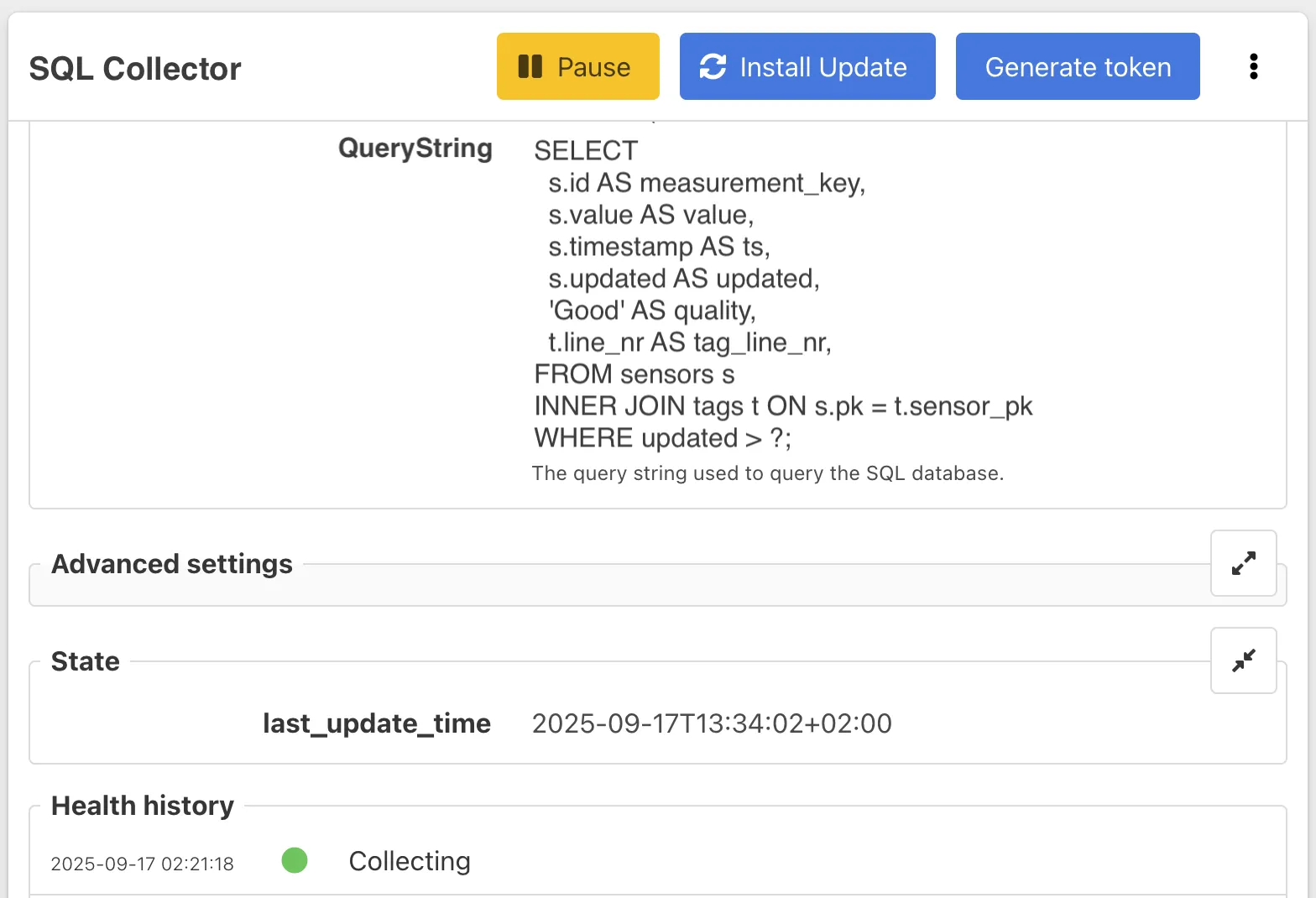
The State can be reset to re-collect historic data. Always pause the collector before editing its state.
Expected outcome
After saving, a green Start button will appear in the top right corner.
- Click Start to launch the collector.
If the connection is successful, the collector status changes to Collecting.
Adding measurements
Follow the guide on Adding measurements to an SQL collector
Best practices
- Always handle NULL values in queries with COALESCE(...).
- Use date filters (updated > ?) to limit rows.
- Keep queries efficient to avoid overloading the source database.
Limits
- Support varies by driver. See the SQL collectorSQL collector reference documentation for a complete list.
- Performance is usually limited by the SQL database itself (indexes, query complexity, network speed).
Troubleshooting
Cannot connect to the database
- Check the host and port used in the SQL collector settings are correct.
- If a user is used for connecting to the database,
- Check if user credentials are correct
- Check if the user has correct privileges to connect to the database
Query times out
- If a user is used, check if the user has correct privileges to read data.
- Try increasing the QueryTimeout setting in the SQL collectorSQL collector settings.
No placeholder for last_update_time
Possible error messages:
- got 1 parameters but the statement requires 0
- wrong number of arguments 1, 0 expected
Cause:
- The Factry collector always adds 1 argument to the query: the last_update_time, which is the timestamp of the most recent datapoint it received.
- If your query has no placeholder for an argument, you might see this error as the database cannot process it.
Solution:
- Add the placeholder, for example in a where clause to filter on only records newer than the last_update_time.
- The placeholder varies depending on the database driver, you can find examples for all supported drivers here: SQL Collector - ReferenceSQL Collector - Reference