Configuring an MQTT (JSON) collector
The MQTT collector in Factry Historian allows you to subscribe to MQTT broker topics and historize incoming data. Once configured, the data becomes available for trending, reporting, and further analysis.
Prerequisites
- Permissions in Factry Historian to manage collectors. See PrivilegesPrivileges.
- An installed MQTT collector. If you have not done so already, first install a collector.
- A running MQTT broker that your collector can connect to. If you are running into issues or setting this up for the first time, follow our guide to test an MQTT connection.
- Optional but strongly recommended: TLS certificates for secure broker communication.
- A configured time-series database to write the collected data to.
Configure the collector
After installing the collector, you should see that the collector is in an initial state and is actively running. This means that the collector has established a connection to Factry Historian and is awaiting further configuration.
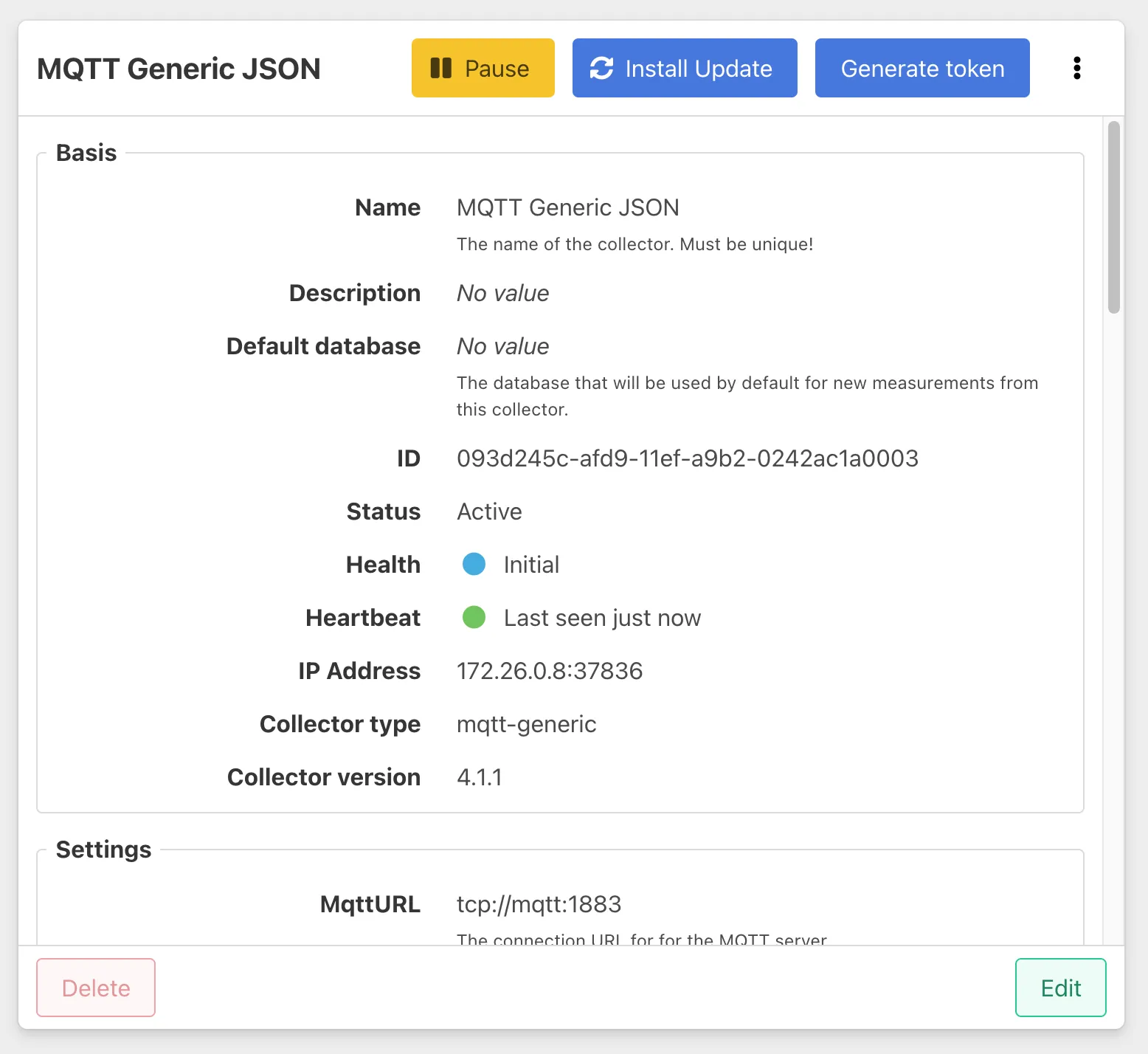
To configure the collector, select it from the Collectors overview in Factry Historian and click the Edit button. Configure the following fields:
MqttURL
This is the connection URL of the MQTT broker the collector should connect to. The URL must point to a reachable broker instance.
For example:
ClientCertificate
Determines whether the collector uses a client certificate to authenticate with the broker.
- false (default) No client certificate is used.
- true The collector will attempt to use a configured certificate and private key to authenticate.
Use this option only if your broker requires client-side certificates.
Username and Password
If your MQTT broker requires user authentication, enter a valid username and password here.
- Leave empty if your broker allows anonymous connections (only suitable for test environments).
- In production, authentication is strongly recommended.
Topics
A comma-separated list of topics the collector should subscribe to. Wildcards are supported:
- + matches exactly one level.
- # matches multiple levels and must be the last character in the topic.
For example:
This field is required.
QoS
The Quality of Service (QoS) level with which the collector subscribes to topics.
- 0 - At most once Messages may be lost, no retries.
- 1 - At least once (default) Messages are retried until acknowledged. May result in duplicates.
- 2 - Exactly once Highest reliability, no duplicates. More overhead.
For most industrial data, QoS 1 offers the best balance between reliability and performance.
PersistentSession
Controls whether the MQTT session is persistent.
- true (default) The broker stores session information and caches messages while the collector is offline, delivering them once it reconnects.
- false No session state is stored. Messages published while the collector is offline will be lost.
Keep persistent sessions enabled in production to avoid losing data during temporary outages.
Time & timestamps
The default layout of the timestamp for measurements. If empty, RFC3339 will be used. If timestamps are in UNIX format, use one of:
More info: https://pkg.go.dev/time#Layout
Examples
You can override the collector’s default per measurement by setting TimestampLayout together with TimestampPath on that measurement.
In RFC3339, a timestamp must include either Z (UTC) or an explicit offset (e.g., +02:00) to avoid ambiguity.
Adding measurements
Follow the guide on Adding measurements to an MQTT (JSON) collector
Best practices
- Use TLS to secure connections in production.
- Prefer QoS 1 for most industrial data, unless message duplication is unacceptable.
- Keep topics structured and predictable. Avoid deep hierarchies with wildcards everywhere.
- Validate JSONPath expressions before deploying, using tools like jsonpath.com.
- Sync clocks on broker, collector, and clients with NTP to avoid timestamp issues.
Limits
- A single collector can handle thousands of topics and high-frequency messages.
- Limitations usually arise at the broker level (throughput, connections) or in the JSON parsing overhead.
- If performance becomes an issue, consider splitting topics across multiple collectors.
Troubleshooting MQTT collector
Typical issues:
- Collector shows "Disconnected" → Check broker address, credentials, and TLS certificates.
- Messages received but no measurements → Verify JSONPath expressions in measurement configuration.
- Timestamps not parsed → Ensure correct TimestampLayout is set.