Configuring an MQTT Sparkplug B collector
Prerequisites
- Permissions in Factry Historian to manage collectors. See PrivilegesPrivileges.
- An installed collector. If you have not done so already, first install a collector.
- A running MQTT broker that your collector can connect to. If you are running into issues or setting this up for the first time, follow our guide to test an MQTT connection.
- A configured time-series database to write the collected data to.
Supported Sparkplug B metric types
The MQTT Sparkplug B collector only accepts simple objects, represented as normal Sparkplug B metrics.
It does not support complex Sparkplug B objects, such as:
- Complex objects: Templates / UDTs
- Tabular values: DataSets
This means each value must arrive as its own individual Sparkplug B metric.
For example, prefer this:
Line1/MixingArea/Mixer01/Temperature
Line1/MixingArea/Mixer01/Pressure
Line1/MixingArea/Mixer01/Speed
Line1/MixingArea/Mixer01/Running
Line1/MixingArea/Mixer01/BatchId
Instead of sending Mixer01 as a structured object using a Template / UDT, or as a row in a DataSet.
Some Sparkplug B producers support flattening structured objects into individual measurements. For example, in Ignition, enable the option to flatten objects so that Templates / UDTs are published as separate simple Sparkplug B metrics.
Configure the collector
After installing the collector, you should see that the collector is in an initial state and is actively running. This means that the collector has established a connection to Factry Historian and is awaiting further configuration.
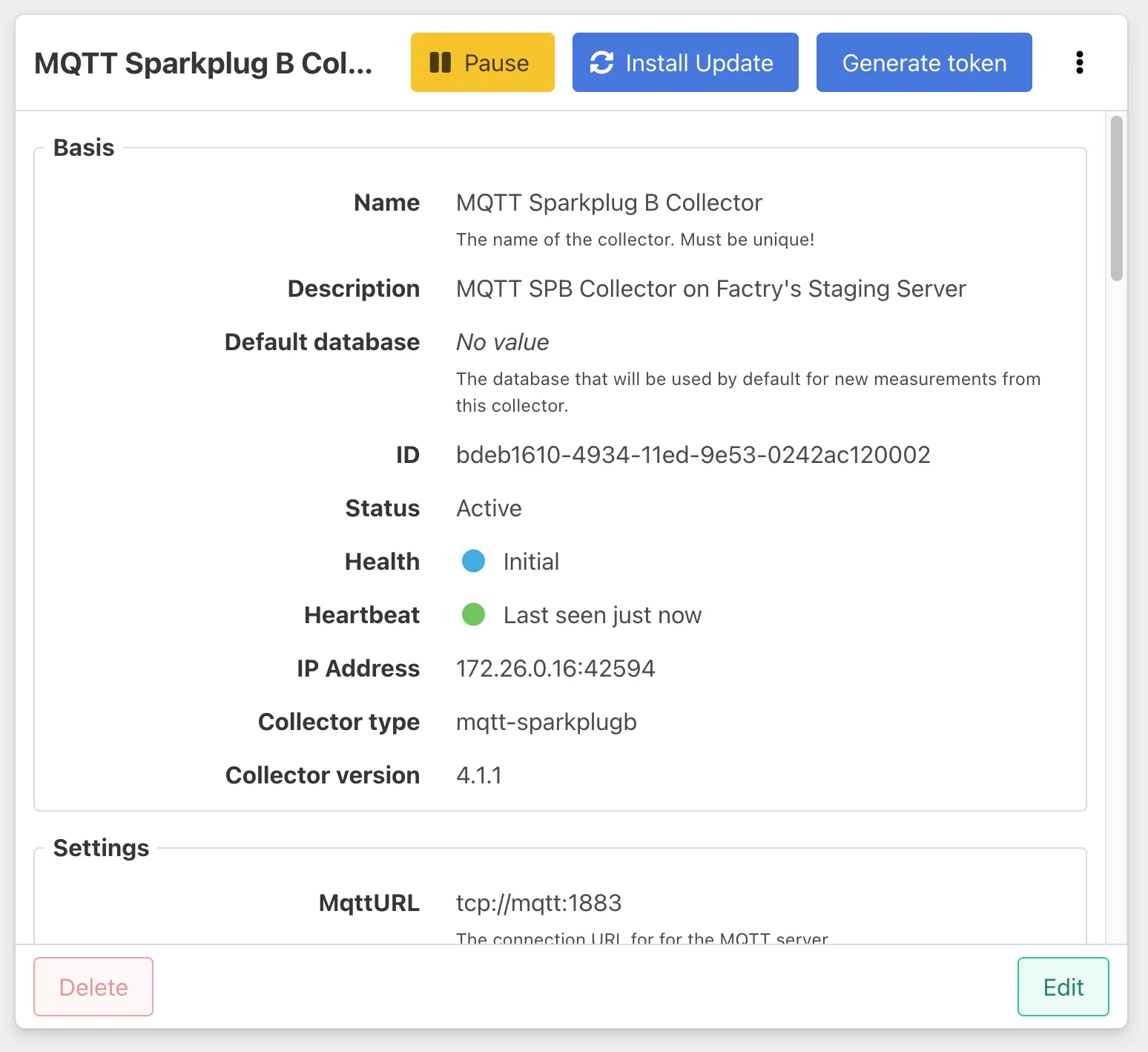
To configure the collector, select it from the Collectors overview in Factry Historian and click the Edit button. Configure the following fields:
MqttURL
The connection URL of the MQTT broker you wish to connect to should be in the following format:
Example:
ClientCertificate
If your MQTT broker requires client certificate authentication, enable this option. Otherwise, leave it as false.
Username & Password
If the MQTT broker requires authentication, provide a valid username and password. If the broker allows anonymous connections, you can leave these fields empty.
Topics
The list of topics to subscribe to is essential in Sparkplug B format (e.g., spBv1.0/group_id/edge_node_id/metric_name). You can use wildcards to capture multiple topics. For example, to subscribe to all topics:
Example:
QOS (Quality of Service)
This defines the QOS level at which messages are delivered. The available options are:
- 0: At most once
- 1: At least once
- 2: Exactly once
KeepAliveSecs
The keep-alive interval in seconds specifies how often the client will ping the broker to maintain the connection. The default value is 30 seconds.
PersistentSession
If enabled, the MQTT broker will store the session information, ensuring that messages are delivered to the client even after reconnections.
After completing the configuration, click Save.
Measurement Discovery & Auto-Onboarding
If enabled, the DiscoverMeasurements setting allows the collector to automatically discover new measurements by parsing incoming messages. Discovered measurements are initially created in Discovered status. If AutoOnboard is enabled, the collector will automatically promote these to Active status.
For instance, an incoming message for a non-configured measurement will be automatically linked to a new measurement in the form of:
NameRegexMatcher & NameRegexReplaceBy
You can customize the automatically generated names for measurements using NameRegexMatcher and NameRegexReplaceBy fields. For example, you can use regular expressions to match the default names and replace parts of them with a custom naming convention.
Expected Outcome
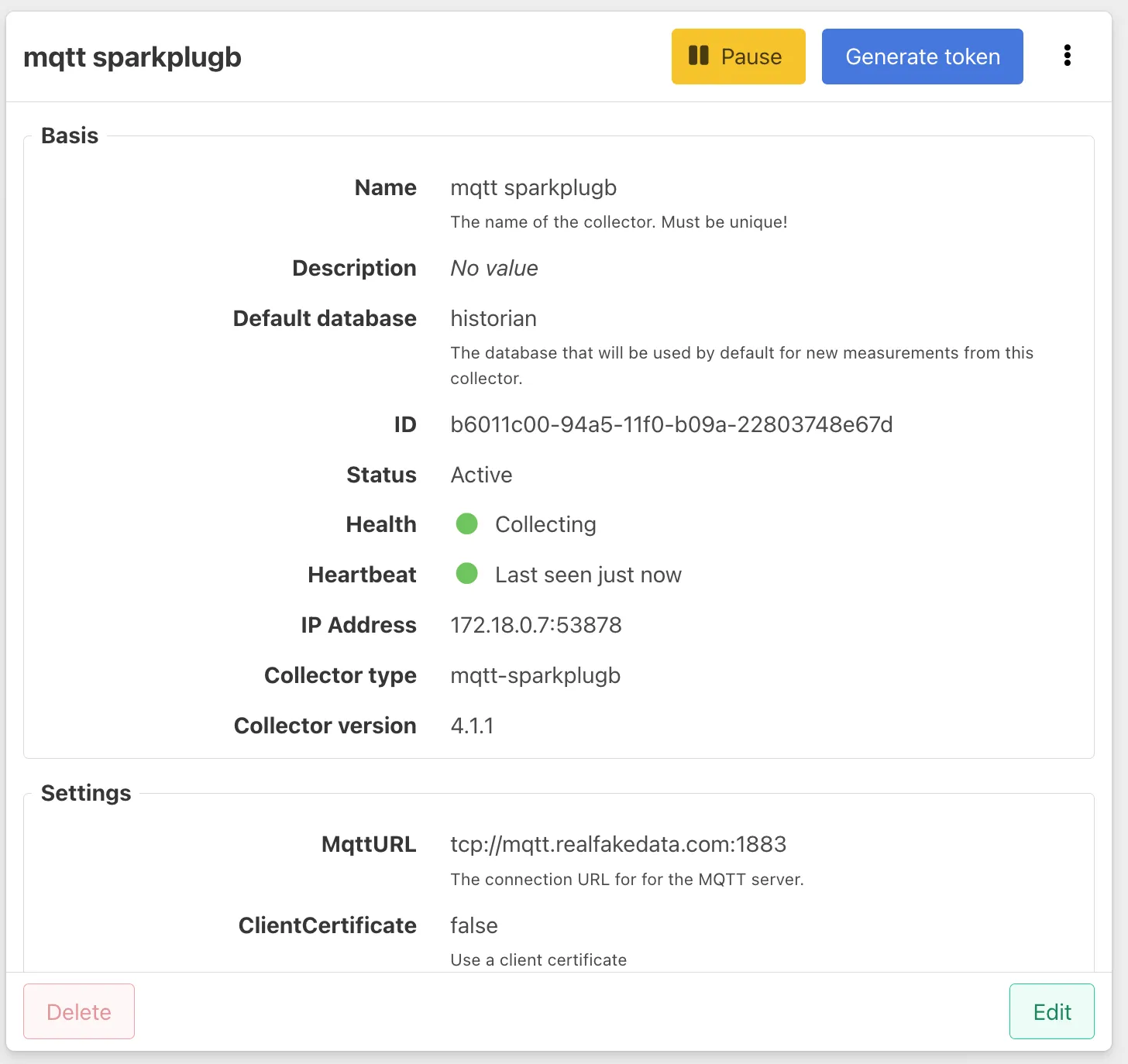
Once configured, the collector will display a Start button in the top-right corner of the collector page. Click Start to begin collecting data. If the connection is successful, the collector will show a status of Collecting.
Troubleshooting
For guidance on connection issues, status codes, and other collection problems, please refer to the page Troubleshooting MQTT connections.
Adding measurements
Follow the guide on Adding measurements to an MQTT Sparkplug B collector.
Best Practices
MQTT QOS
For most use cases, set the QOS to 1 to ensure reliable message delivery. Avoid using QOS 2 unless necessary, as it introduces additional overhead.
Measurement Naming Conventions
Ensure a clear and consistent naming convention for metrics, edge nodes, and devices. This will make it easier to track and identify metrics across multiple Sparkplug B topics.
Limits
The MQTT SparkplugB collector can handle a large number of measurements and messages. However, performance may be affected by the broker’s capacity and the complexity of the topic structure. If performance issues arise, consider splitting measurements across multiple collectors or increasing hardware resources.