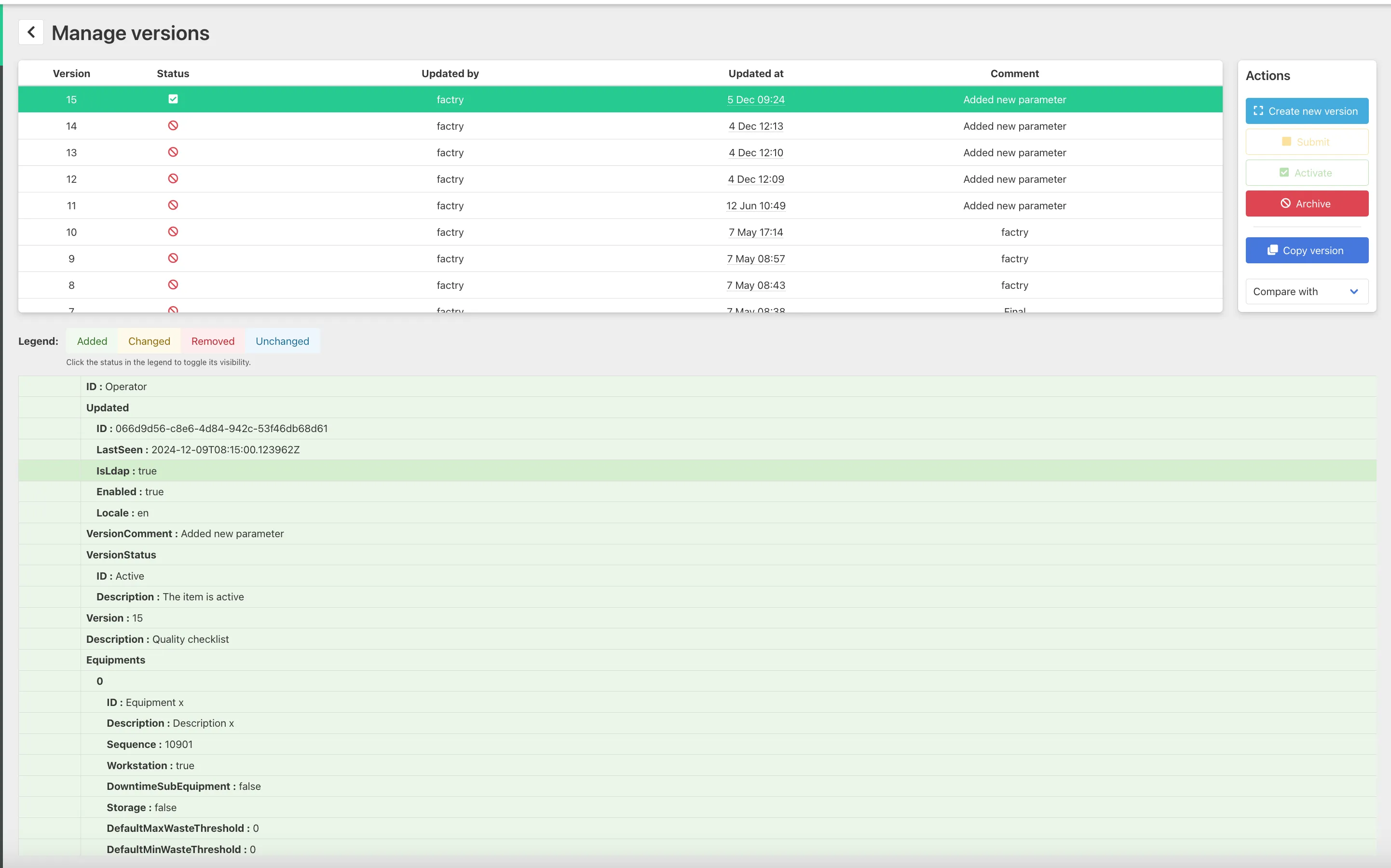
Version management
Checklist templates are version managed.
Every time a template is modified, a new version is created while preserving previous versions.
Why version management is important
This ensures that historical checklist executions remain linked to the correct template configuration that was active at the time, and makes it possible to reuse past checklist versions.
The system includes an approval workflow that allows users to submit new versions for review by a colleague. All changes made to a template are also tracked and can be compared across different versions.
Checklist templates may be updated to reflect:
- new process requirements
- updated quality requirements
- continuous improvement to the process
Version management allows these updates to be introduced without affecting previously created checklists.
Here’s a overview of what actions are possible:
Action | What it does | When to use it |
|---|---|---|
Create new version | Creates a new version based on the currently selected one. This allows you to make changes without modifying the active or existing versions. | When you want to introduce changes or updates safely without impacting current usage. |
Submit | Marks the version as ready for review or approval. | When you’ve finished editing and want the version to be reviewed or approved. |
Activate | Sets the selected version as the active version. This is the version that will be used in production from that moment on. | When the version is finalized and should go live. |
Archive | Archives the selected version, making it inactive and hidden from normal use, but still stored for history. | When a version is outdated and should no longer be used, but kept for traceability. |
Copy version | Creates a duplicate of the selected version. This is useful to reuse configurations or make variations. | When you want to build a new version based on an existing one without starting from scratch. |
Compare with | Allows you to compare the selected version with another version. Differences (added/changed/removed) are highlighted. | When reviewing changes between versions or validating what has been modified. |