Configure downtime event review
Go to FactryOS > Downtime > Downtime Configuration > Downtime event review.
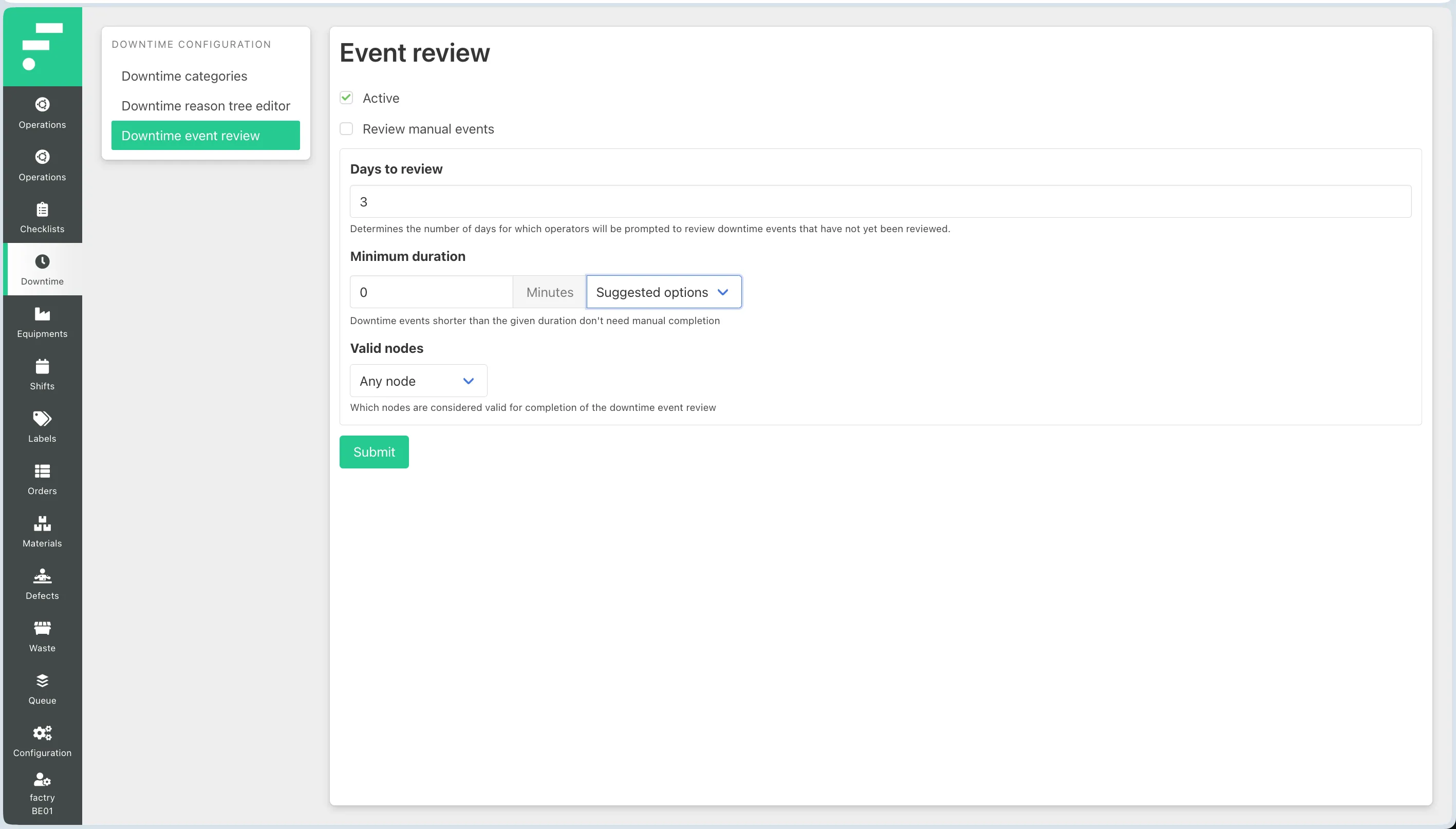
This screen controls how and when operators are prompted to review and classify downtime events that have not yet been assigned a reason. Configure the following fields:
- Active — enables the event review feature. When checked, operators will be prompted to review unassigned downtime events. Uncheck to disable downtime event review entirely.
- Review manual events — if checked, manually created downtime events are also included in the review queue. Leave unchecked if you only want automatically detected events to require review.
- Days to review — the number of days back that the system looks for unreviewed events. Operators will be prompted to complete any event within this window that has no reason assigned. Set this to match your shift review cadence. The default is 3 days.
- Minimum duration — downtime events shorter than this threshold do not require manual completion. Use the suggested options (1, 5, 10, 15, 20, 30, or 60 minutes) or enter a custom value in minutes. This prevents operators from being prompted for very short stops that are not worth classifying individually.
- Valid nodes — determines which selections in the reason tree are accepted as a completed review. Two options are available:
- Any node — operators can select any node in the reason tree, including intermediate grouping nodes.
- Leaf nodes only — operators must select a final reason at the deepest level of the tree. Use this when you want to enforce specific reason classification rather than allowing broad category selections.
Click Submit to save.