Create downtime categories
Go to FactryOS > Downtime > Downtime configuration > Downtime categories.
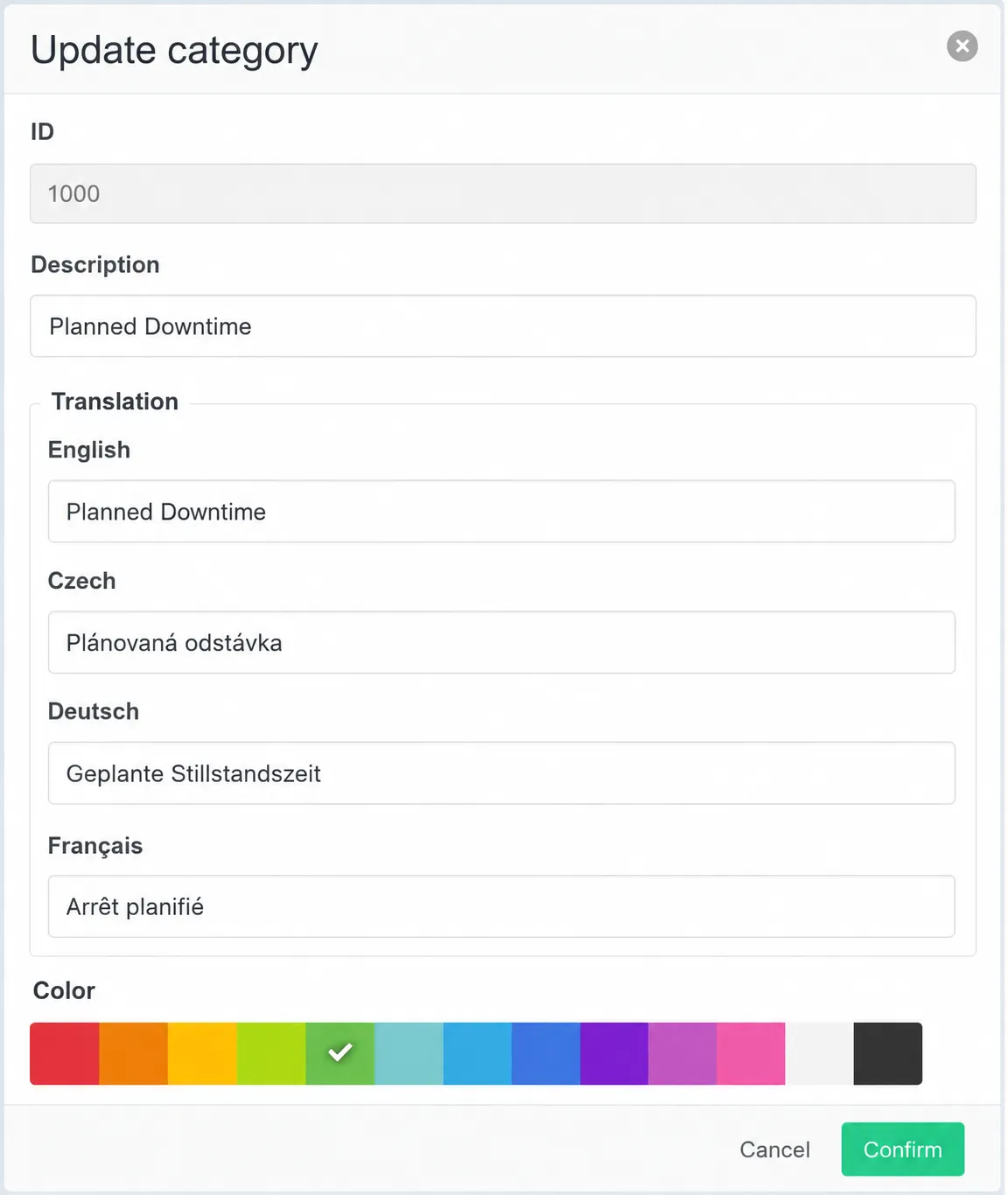
Click + Add. A form opens with the following fields:
- ID — a numeric identifier for the category (e.g. 1000, 2000). This is set once and cannot be changed after creation. Use a numbering scheme that leaves room between categories for future additions.
- Description — the internal code or short name for the category (e.g. Good production, Downtime, Failure time).
- Translations — enter the display name in each language your operators use. FactryOS shows the translation matching the operator's account language. If no translation is set for a language, the description is used as fallback.
- Color — select a color from the palette. This color is used throughout the Downtime Overview to visually distinguish categories at a glance.
Click Confirm to save.
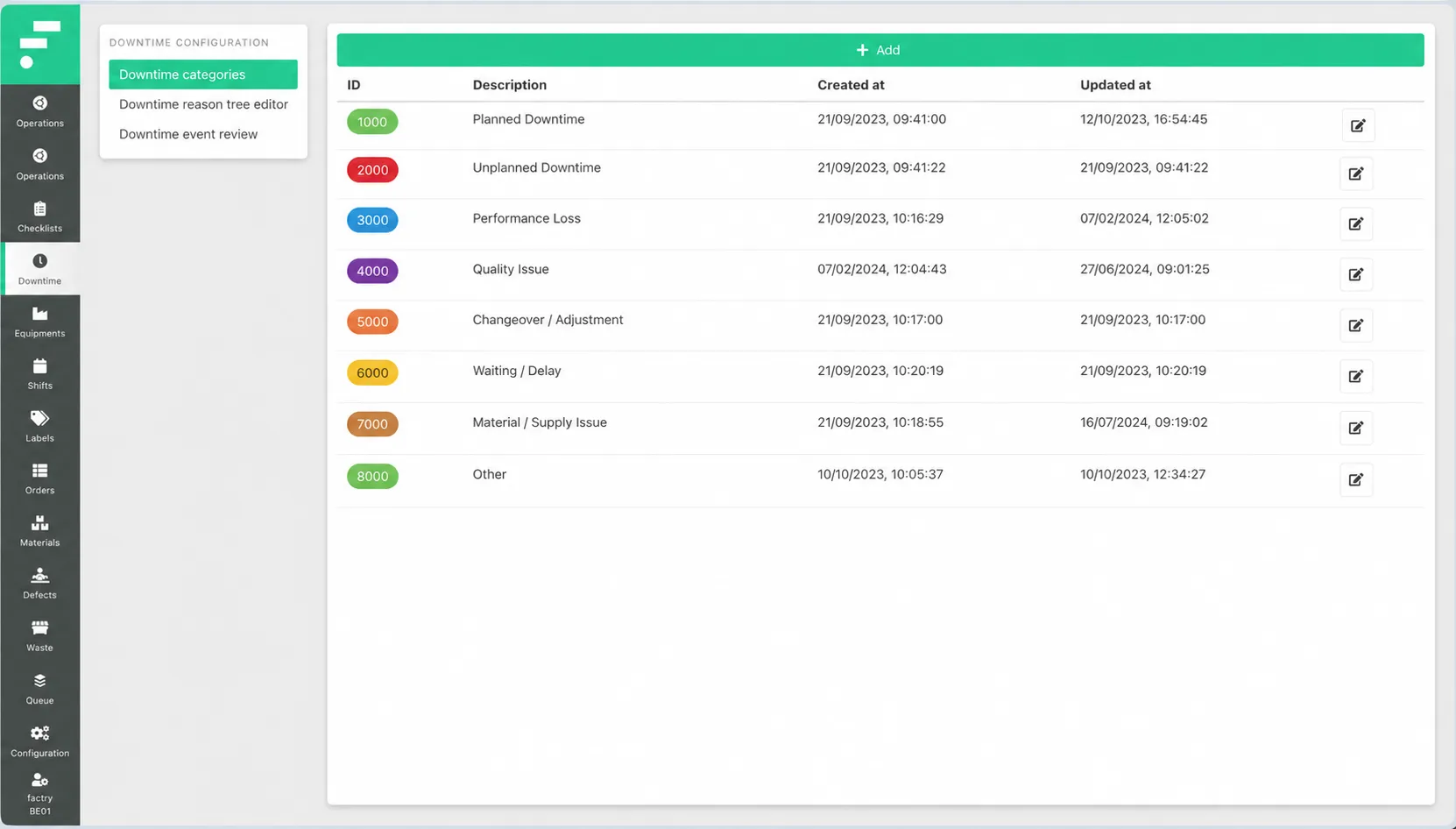
Repeat for each category you need. The example above shows eight categories covering running states (Running production, Normal speed, Slow speed), unplanned stops (Downtime, Failure time), scheduled stops (Scheduled downtime), and unproductive time. Your setup will depend on your OEE model and which states your equipment can be in.