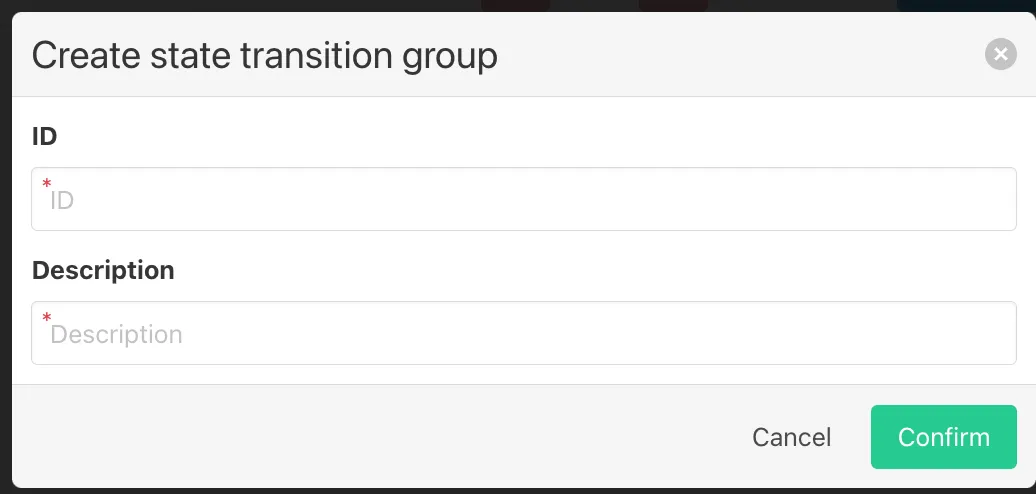
Create/add transition rows
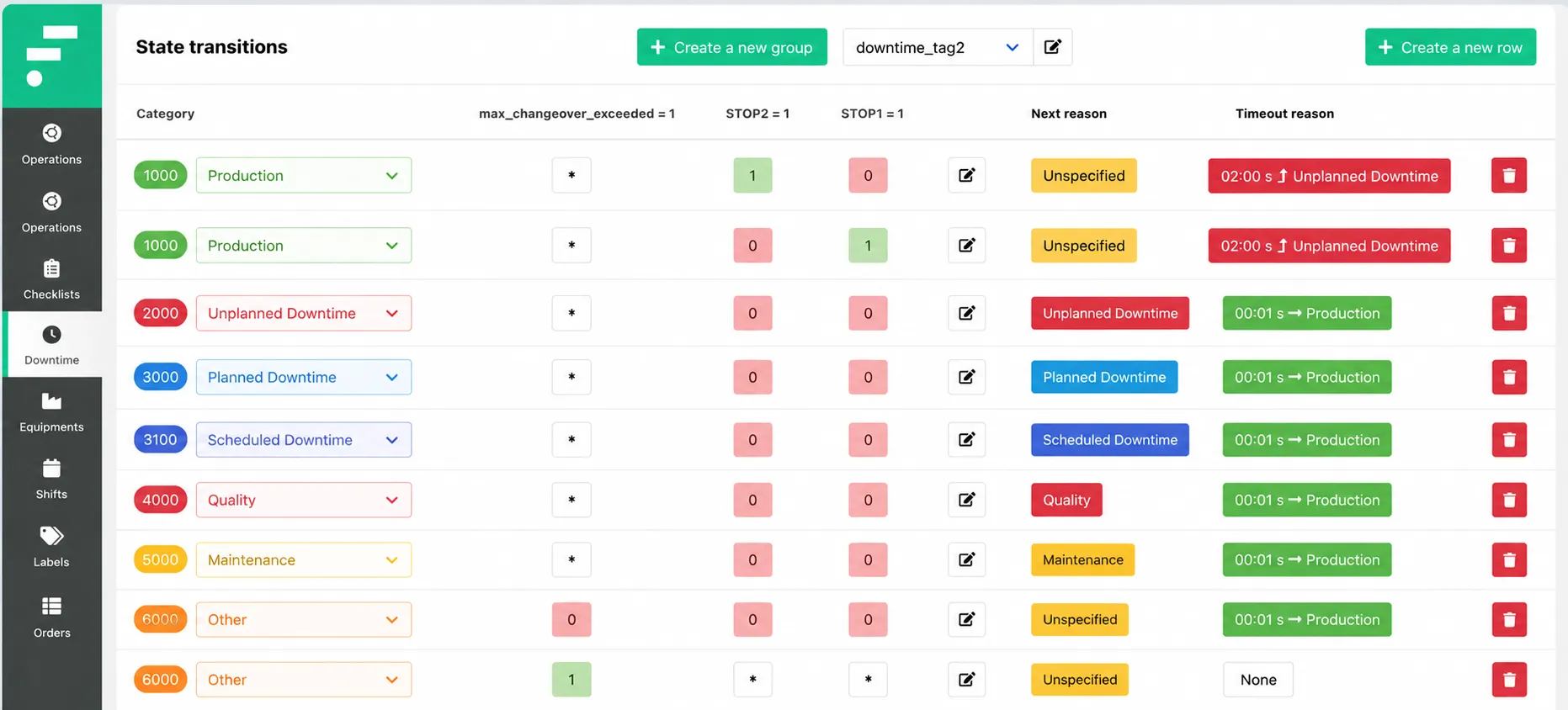
With your group selected, click + Create a new row. Each row in the table defines one state transition rule. A row contains:
- Category — the downtime category that applies when this rule fires (e.g. ROT 1000, Downtime 2000, Failure time 2200). Select from the categories configured in ‘Create downtime categories’.
- Signal columns — one column per signal tag linked to this group (e.g. STOP1, STOP2, max_changeover_exceeded). For each signal, enter the value that must be present for this row to match. A dot (·) means the signal is not evaluated for this row.
- Next reason — the reason that is automatically assigned when this transition fires, shown as a colored label (e.g. UOT Microstop, DT Downtime, Scheduled downtime). This is the initial reason applied before any operator review.
- Timeout reason — the reason assigned if the event is not reviewed by an operator within the timeout period. The timeout duration is shown alongside the reason (e.g. 02:00 s → Downtime, 00:01 s → running production). Set to None if no timeout behavior is needed for this row.
Click the edit icon on any row to modify it. Click the red delete icon to remove it.
Repeat until all signal combinations and their resulting states are covered. The table is evaluated top to bottom, so order rows from most specific to least specific.